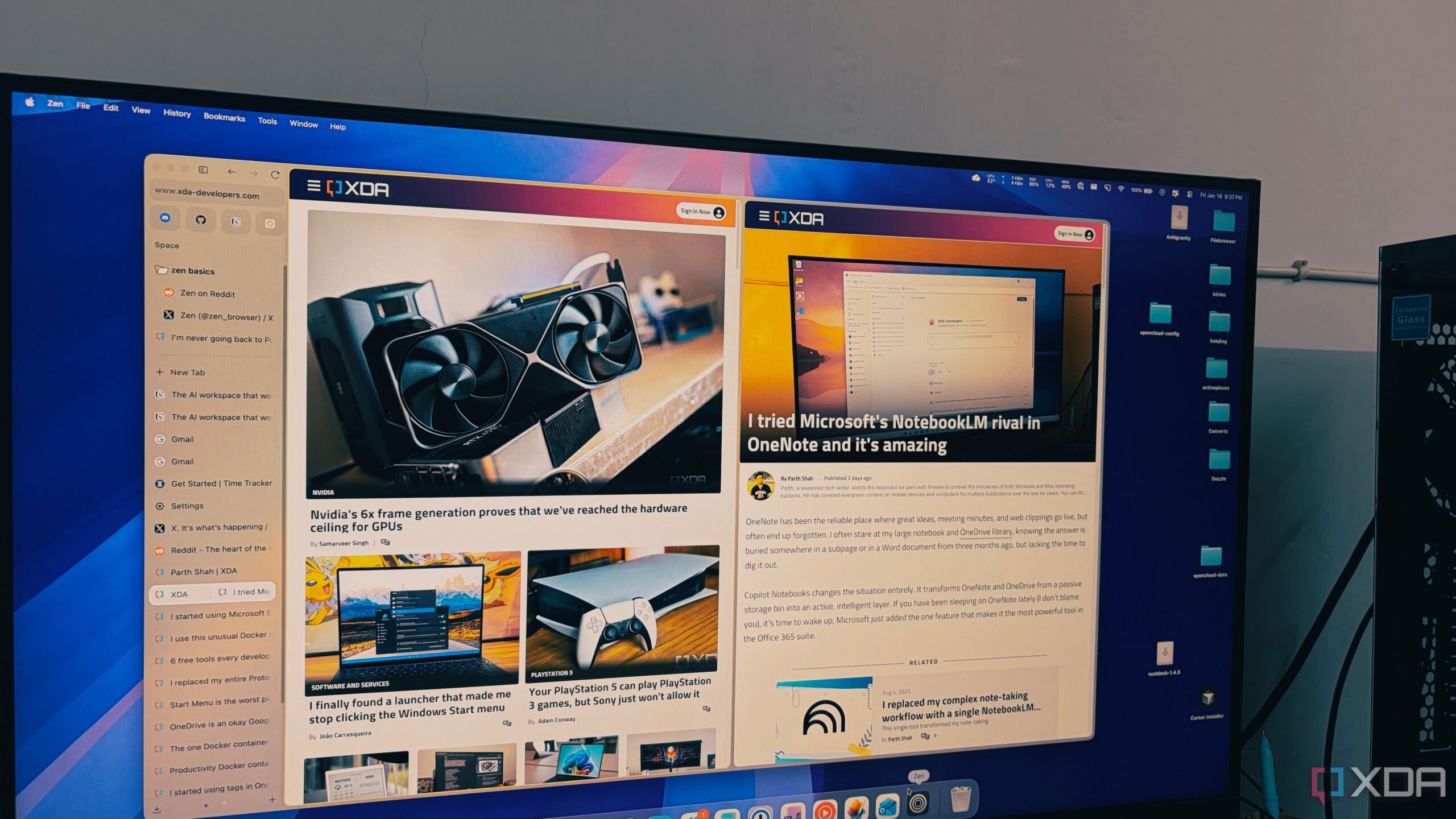
The Zen Browser is redefining the way users manage multiple tabs, effectively addressing the frustrations associated with traditional web browsers. Designed on the foundation of Firefox, Zen offers a streamlined, minimalist experience that caters specifically to those who often find themselves overwhelmed by a multitude of open tabs.
Transforming Tab Management
For many users, a single research session can quickly escalate into an overwhelming experience with upwards of 50 tabs open, forcing browsers like Chrome to struggle. Users often report their laptops becoming noisy and sluggish as the browser’s performance deteriorates. Zen, however, has emerged as a solution, allowing for the management of over 100 tabs with ease and efficiency.
Unlike most browsers that are simply variations of Google Chrome, Zen leverages the open-source capabilities of Firefox while introducing a unique interface that prioritizes productivity. The browser is not intended for everyone, as it specifically targets users who feel constrained by the typical horizontal tab layout and other distractions commonly found in conventional browsers.
Vertical Tabs and Enhanced Features
One of the standout features of Zen is its vertical tab management system. This design change addresses a common concern among users: the loss of visibility and accessibility when too many tabs are open. In traditional browsers, the icons shrink to an unreadable size, creating a chaotic user experience. Zen’s vertical orientation allows users to view full titles, effectively transforming the tab bar into a live table of contents.
The browser also offers an auto-hide feature for the sidebar, which enhances the viewing experience by providing an edge-to-edge view of web pages. Users can easily access their digital library with a simple cursor movement, creating a seamless interaction with their research materials.
Zen introduces the “Essentials” feature, which allows users to keep frequently used applications like WhatsApp, Gmail, and Slack easily accessible. Instead of getting lost among temporary research tabs, these applications are represented by prominent favicons that remain fixed at the top of the sidebar. Additionally, Zen includes “Workspaces,” enabling users to separate different aspects of their life, such as work and personal projects.
Another significant advantage of Zen is its utilization of Firefox’s container technology, allowing users to manage multiple accounts within the same window without data interference. This feature is especially beneficial for those juggling work and personal accounts, as it promotes privacy and organization.
The performance of Zen sets it apart from other browsers. Many users have experienced sluggishness when using browsers such as Chrome, Edge, or even Brave, particularly when multitasking with numerous tabs. Zen’s underlying Gecko engine offers a fast and responsive experience, even under heavy loads. Users report that their devices remain quiet and efficient when using Zen, highlighting its ability to handle extensive browsing sessions without the typical slowdowns.
In a digital landscape crowded with variations of Chrome, Zen Browser presents a refreshing alternative. It not only accommodates heavy tab users but also embraces a minimalist approach that enhances overall productivity. This innovative browser aligns with user needs in 2026, emphasizing both performance and user experience.
As more users seek effective solutions for tab management, Zen stands out as a compelling choice. For those who find traditional browsers lacking, exploring alternatives like Zen could transform the way they engage with the internet.